

معدل التفاعل في انستقرام: كيف تحسبه وترفعه
 بقلم فريق SMM Target
قراءة 4 دقائق

الخلاصة
- معدل التفاعل بالنسبة إلى المتابعين = (الإعجابات + التعليقات + المشاركات + الحفظ) ÷ المنشورات ÷ المتابعين × 100.
- يوضح المعدل بالنسبة إلى الوصول أو المشاهدات أداء منشور أو ريلز بعينه لدى من شاهدوه.
- تتضارب «المتوسطات» العامة، فقارن بتاريخك وبالحسابات المشابهة بدلًا منها.
- المنشورات التي تستحق الحفظ والمشاركة والأسئلة السهلة والردود السريعة ترفع التفاعل الحقيقي، أما الإعجابات المشتراة فلا.
محتويات المقال
معدل التفاعل في انستقرام هو نسبة من يتفاعلون مع منشوراتك من جمهورك. وأشهر معادلة تجمع الإعجابات والتعليقات والمشاركات ومرات الحفظ، ثم تقسم على عدد المنشورات ثم على عدد المتابعين، وتضرب الناتج في 100. ويمكنك أيضًا القسمة على الوصول أو على المشاهدات لمعرفة أداء منشور واحد. ولا يوجد رقم «جيد» واحد للجميع، لذلك فأنفع معيار هو اتجاه معدلك بمرور الوقت والحسابات المشابهة لحسابك. يشرح هذا الدليل كل معادلة، وكيف تقرأ النتيجة، وما الذي يرفعها فعلًا.
لماذا يهم معدل التفاعل
يقيس عدد المتابعين الحجم، أما معدل التفاعل فيقيس الانتباه. تستخدمه العلامات التجارية للحكم على ما إذا كان جمهور صانع المحتوى حقيقيًا ونشطًا، ويمكنك استخدامه لمعرفة أي محتوى يحصد تفاعلًا. وكثيرًا ما يكون انخفاض المعدل أول علامة على أن المحتوى ابتعد عما يريده جمهورك، أو أن جزءًا من متابعيك لم يعد نشطًا.
ولا تتساوى التفاعلات كلها؛ فالإعجاب يستغرق ثانية، أما التعليق أو المشاركة أو الحفظ فيحتاج إلى نية. لذلك يتابع كثير من صنّاع المحتوى مرات الحفظ والمشاركة منفصلة عن الإعجابات، لأنها تبين المنشورات التي وجدها الناس مفيدة بما يكفي للاحتفاظ بها أو إرسالها لغيرهم. فإذا تساوى منشوران في المعدل وحصد أحدهما مرات حفظ أكثر بكثير، فهذه غالبًا الصيغة التي تستحق التكرار.
ثلاث طرق لحسابه
تجيب كل معادلة عن سؤال مختلف قليلًا، فاختر واحدة واستخدمها باستمرار:
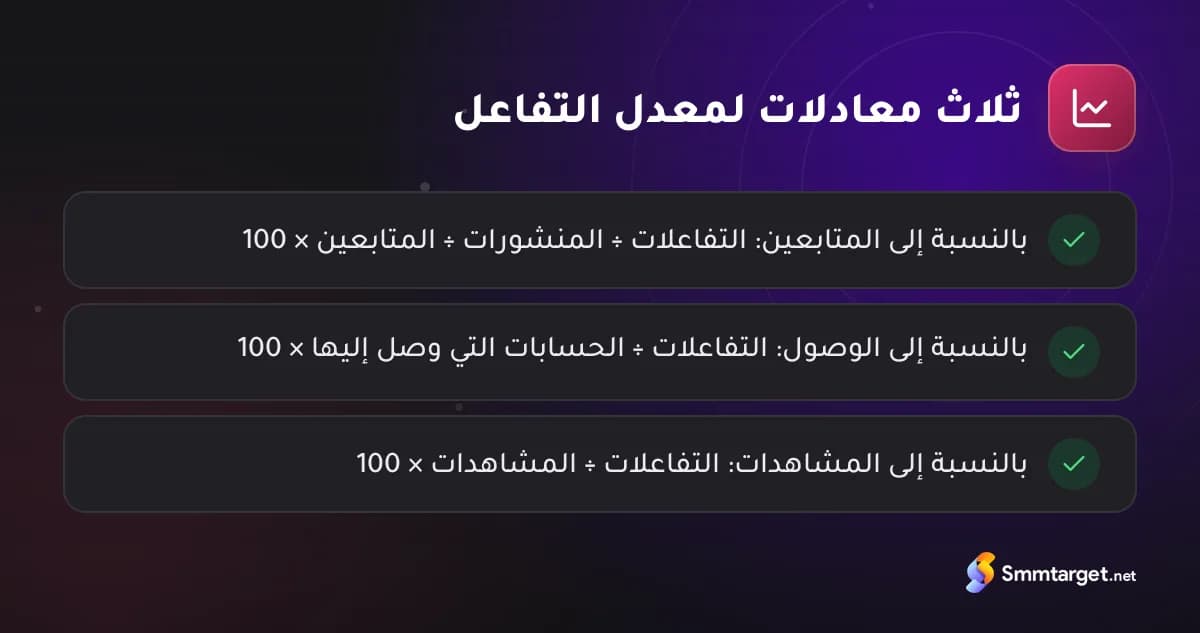
- بالنسبة إلى المتابعين: (الإعجابات + التعليقات + المشاركات + مرات الحفظ) ÷ عدد المنشورات ÷ المتابعين × 100. وهي مناسبة لمقارنة الحسابات ولتقارير العلامات التجارية.
- بالنسبة إلى الوصول: تفاعلات المنشور ÷ عدد الحسابات التي وصل إليها × 100. وتوضح مدى جاذبية المنشور لمن شاهدوه فعلًا، ويظهر الوصول في إحصاءات إنستجرام لمنشوراتك.
- بالنسبة إلى المشاهدات: التفاعلات ÷ المشاهدات × 100. وهي الأنفع للريلز التي تصل غالبًا إلى أشخاص لا يتابعونك.
مثال: حساب لديه 8000 متابع، وحصدت آخر 10 منشورات له 3200 إعجاب و240 تعليقًا و160 مشاركة و400 حفظ، أي 4000 تفاعل. وبالقسمة على 10 منشورات ثم على 8000 متابع يكون معدل التفاعل بالنسبة إلى المتابعين 5%. وتجري حاسبة معدل التفاعل المجانية هذا الحساب داخل متصفحك.
كيف تقرأ رقمك
ستجد على الإنترنت جداول كثيرة تدّعي معرفة «متوسط» معدل التفاعل، فتعامل معها بحذر، لأنها تستخدم معادلات وعينات وسنوات مختلفة، ونتائجها متضاربة. كما تختلف المعدلات باختلاف المجال وصيغة المحتوى، وغالبًا ما تكون معدلات الحسابات الكبيرة أقل من الصغيرة.
والمقارنات الأفضل هي:
- تاريخك أنت. احسب المعدل لآخر 10 إلى 20 منشورًا كل شهر وراقب الاتجاه.
- الحسابات المشابهة. قارن بعدد من الحسابات ذات الحجم المشابه في مجالك، بالمعادلة نفسها.
- الصيغة مقابل الصيغة. قارن الريلز بالريلز والكاروسيل بالكاروسيل، لأن سلوكها مختلف.
وقد يشير المعدل المنخفض على نحو غير معتاد بالنسبة إلى حجم الحساب إلى متابعين غير نشطين أو وهميين، ويشرح دليلنا عن كيف تعرف المتابعين الوهميين ما الذي تتحقق منه أيضًا.
ما الذي يرفع التفاعل
يرتفع التفاعل حين تمنح المنشورات الناس سببًا للتفاعل، وأكثر العادات فائدة:
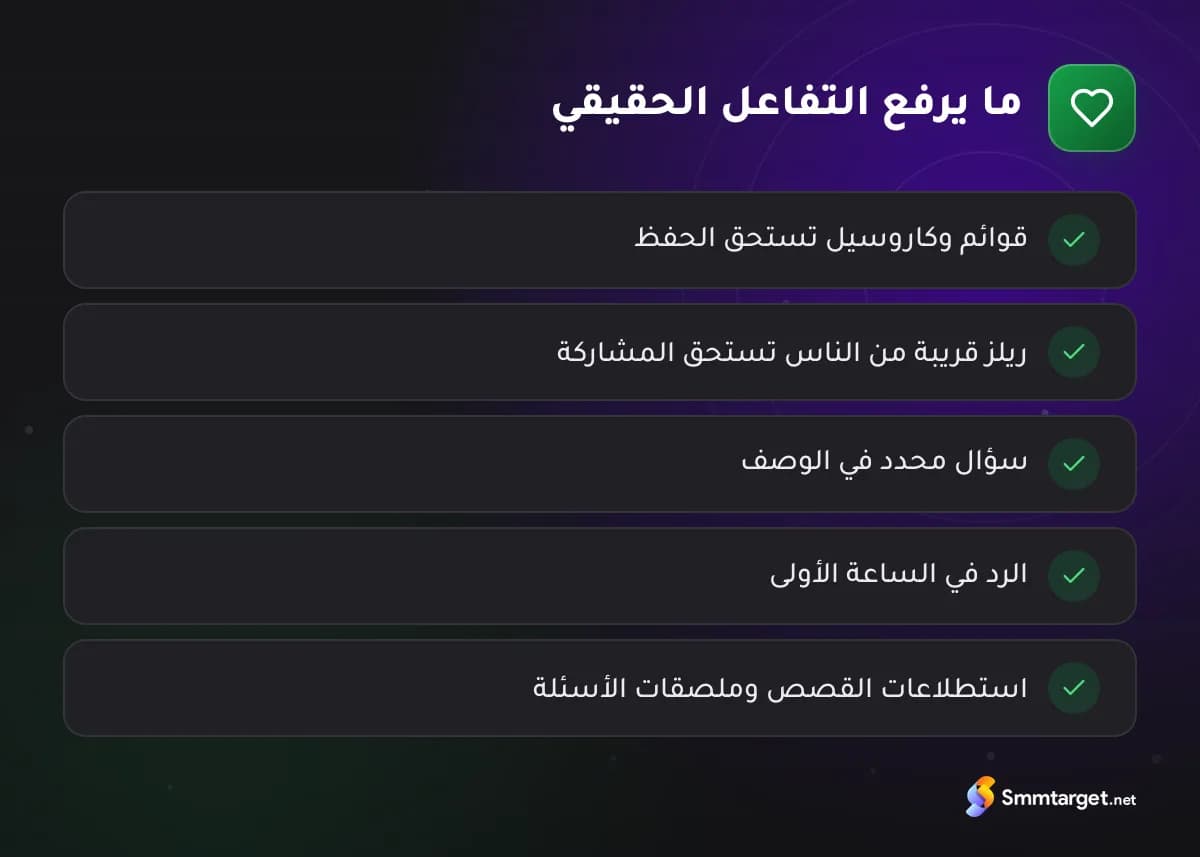
- محتوى يستحق الحفظ. قوائم التحقق والكاروسيل المتدرج والمنشورات المرجعية تُحفظ لأن الناس يريدون العودة إليها.
- محتوى يستحق المشاركة. الريلز القريبة من حياة الناس أو المفيدة تُرسل إلى الأصدقاء، فتجلب مشاهدين جددًا أيضًا.
- أسئلة سهلة الإجابة. اختم الوصف بسؤال محدد بدل «ما رأيكم؟».
- ردود سريعة. الرد على التعليقات في الساعة الأولى يُبقي الحوار مستمرًا ويشجع على مزيد من الردود.
- قصص بالملصقات. الاستطلاعات والاختبارات وملصقات الأسئلة تدعو متابعيك الحاليين إلى تفاعل لا يحتاج جهدًا.
- النشر حين يكون جمهورك متصلًا. تعرض إحصاءاتك أوقات نشاط المتابعين.
ويتعمق دليلانا عن زيادة متابعين إنستجرام وزيادة مشاهدات الريلز في المحتوى الذي يحقق أداءً جيدًا.
ما الذي لا يرفع التفاعل الحقيقي
مجموعات تبادل التفاعل، ومخططات «تابعني وأتابعك»، والإعجابات أو التعليقات المشتراة ترفع الأرقام الظاهرة لا الانتباه الحقيقي خلفها، وقد تتعارض أيضًا مع شروط إنستجرام بشأن التفاعل غير الحقيقي. وإن استخدمت خدمات مدفوعة من لوحة، مثل إعجابات إنستجرام، فكن واضحًا في أنها تضيف دليلًا اجتماعيًا لا تفاعلًا حقيقيًا، وأن العلامات التجارية التي تفحص الوصول وجودة الجمهور سترى الفرق.
تتبّعه شهريًا
احتفظ بجدول بسيط فيه التاريخ وعدد المتابعين وعدد المنشورات وإجمالي التفاعلات والمعدل الناتج، مع ملاحظة عما نشرته. وبعد ثلاثة أشهر ستعرف أي الصيغ والموضوعات ترفع معدلك وأيها يملأ الشبكة فقط.
وحافظ على ثبات الطريقة ليكون للاتجاه معنى: المعادلة نفسها، والعدد نفسه من المنشورات، وفي اليوم نفسه تقريبًا من كل شهر. وإذا غيّرت المعادلة فأعد حساب الأشهر السابقة أيضًا، وإلا فستقارن قياسات مختلفة. وحين تقدّم المعدل لعلامة تجارية، اذكر المعادلة التي استخدمتها وعدد المنشورات، لتتمكن من مقارنته بإنصاف مع صنّاع محتوى آخرين في المجال نفسه.
الخلاصة
يخبرك معدل التفاعل في إنستجرام بمقدار من يتفاعلون فعلًا من جمهورك. استخدم معادلة واحدة باستمرار، وقارن بتاريخك وبالحسابات المشابهة بدل المتوسطات العامة، وارفع المعدل بمحتوى يرغب الناس في حفظه ومشاركته والرد عليه. وللاطلاع على خدمات إنستجرام لدينا وكيف تتكامل مع هذا العمل، تصفح لوحة SMM إنستجرام.
الأسئلة الشائعة
كيف أحسب معدل التفاعل في انستقرام؟
اجمع الإعجابات والتعليقات والمشاركات ومرات الحفظ لمنشوراتك الأخيرة، واقسم على عدد المنشورات ثم على المتابعين، واضرب الناتج في 100. ويمكنك أيضًا قسمة تفاعلات المنشور على وصوله أو مشاهداته.
ما معدل التفاعل الجيد في انستقرام؟
يعتمد على المجال والصيغة وحجم الحساب، والمتوسطات المنشورة متضاربة. قارن بأشهرك السابقة وبحسابات مشابهة بالمعادلة نفسها.
هل يُحتسب الحفظ والمشاركة من التفاعل؟
نعم، فمعظم المعادلات تشملهما، وهما إشارتان قويتان لأن الناس يحفظون ويشاركون ما يجدونه مفيدًا أو قريبًا منهم.
لماذا ينخفض معدل التفاعل لدي؟
من الأسباب الشائعة ابتعاد المحتوى عما يريده جمهورك، أو النشر في أوقات غير مناسبة، أو وجود متابعين غير نشطين أو وهميين.
كيف نُعد أدلتنا ونحدّثها وكيف نميّز خدماتنا: سياسة التحرير
خدمات مرشحة لهذا المقال
خدمات حقيقية من لوحة SMM Target مع سعرها لكل 1000. قد تتغير الأسعار، وتعرض اللوحة دائمًا السعر الحالي.
- رقم الخدمة 9325إعجابات إنستغرام تلقائية | تصل الى 10-25 الف/باليوم | بدون ضمان | 0-1 ساعة$0.0565لكل 1000
- رقم الخدمة 10963إعجابات إنستغرام | حسابات عالية الجودة | حد أقصى 1 مليون | +100 ألف/يوم | ضمان 365 يوم | 0-1 ساعة ♻$0.0649لكل 1000
- رقم الخدمة 13926تعليقات إنستغرام | بدون ضمان | 0-1 ساعة$0.3127لكل 1000
- رقم الخدمة 10997تعليقات إنستغرام | حسابات حقيقية | حد أقصى 1 مليون | بدون ضمان | 0-24 ساعة$0.598لكل 1000
- رقم الخدمة 9649مشاهدات فيديو إنستغرام | الأرخص | بدون ضمان | 0-24 ساعة$0.0021لكل 1000
- #engagement
- #analytics
- #growth
ابدأ مجانًا
إنشاء حساب