
SMM Panel API: A Beginner's Guide for Resellers

5 min read

Key takeaways
- An SMM panel API lets your system look up services, add orders, check status, request refills and read the balance automatically.
- Most panels accept HTTPS requests with your API key and an action name and reply in JSON; follow your supplier’s documentation.
- Treat the API key like a password: keep it on the server, in environment variables, and rotate it if exposed.
- Validate inputs, log every request and never blindly retry an order request, or you may place it twice.
In this article
If you run a reseller business, the day arrives when handling orders by hand stops making sense. An application programming interface, or API, lets your website or panel talk to a supplier's panel automatically: your customer places an order, your system forwards it and the status flows back without anyone copying and pasting. This guide explains the idea in plain language and covers the parts every beginner should understand.
What the API does
An API is a set of agreed requests and responses that one program uses to talk to another. In the SMM world, a supplier panel exposes an API so that your system can do what a person would otherwise do in the dashboard: look up services, place orders, check progress and see the balance.
The value for a reseller is threefold.
- Speed. Orders are forwarded within moments, without waiting for you to be online.
- Accuracy. Copying links and quantities by hand causes mistakes; automation removes them.
- Scale. A system that handles ten orders can handle a thousand without more of your time.
Most SMM panels follow a similar, widely used convention: you send a request over HTTPS with your API key and the name of an action, and the panel returns a response, commonly in JSON format. Details vary between suppliers, so always read the documentation that your supplier provides. Our SMM panel API page describes what is available with us.
Getting your API key
The key is a long private string that identifies your account. To get it:
- Register an account with the supplier panel.
- Add funds if required, since orders are paid from your balance.
- Open your account or API settings and generate or copy the key.
- Store it somewhere safe, such as a secrets manager or an environment variable on your server.
Treat the key like a password, because anyone who has it can spend your balance. If you think it has leaked, regenerate it immediately if your panel allows that.
Core actions
Although names differ slightly, most panels offer the same handful of actions. Here is what each does in plain terms.
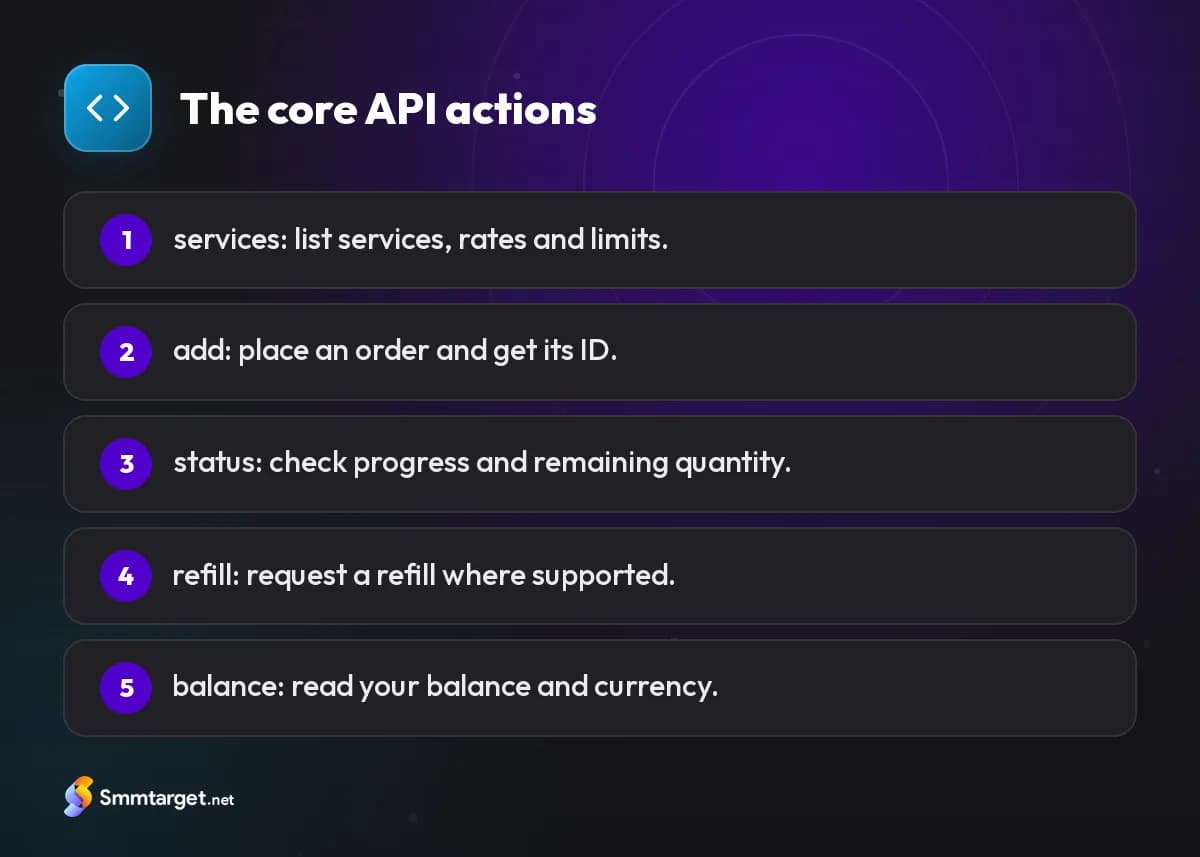
- Services. Returns the list of available services with their identifiers, names, categories, rates per 1,000, minimum and maximum quantities and whether refills or cancellations are supported. You use it to build your catalogue and keep prices current.
- Add order. Places an order. You send the service identifier, the link to the profile or post and the quantity, and receive an order identifier in return. Some services accept extra fields such as comments or a runs and interval setting for drip-fed delivery.
- Order status. Takes an order identifier and returns the current state, such as pending, in progress, completed, partial or canceled, along with the start count and the remaining quantity. Poll it at sensible intervals, not every second.
- Refill. Requests a refill for an eligible order, where the service includes a refill guarantee within a stated period.
- Balance. Returns your current balance and currency, so you can warn yourself before funds run out.
Some panels also provide actions for multiple orders at once, for cancelling orders and for checking refill status. If you plan to run your own storefront on top, our SMM reseller panel page explains how these pieces fit together.
Error handling
Things go wrong, and your system should expect it. Common problems include:
- Invalid key or blocked account. Check that the key is correct and has not been revoked.
- Insufficient balance. The order is rejected; top up and retry, and consider alerts for low balances.
- Invalid link or quantity. The link format is wrong or the number is outside the service's minimum and maximum.
- Service not found or disabled. A service was removed or paused upstream. Refresh your catalogue regularly.
- Network problems and timeouts. The request may or may not have reached the supplier.
Good habits make these manageable. Validate links and quantities before you send them. Log every request and response so that you can trace a problem later. Retry failed network calls with a delay between attempts, but avoid blindly retrying an order request, because you could place it twice. Instead, store your own record of each order before you send it and check for a returned order identifier before creating a new one. Show your customers a clear message rather than a raw error.
Security of API keys
A leaked key can drain your balance, so protect it.
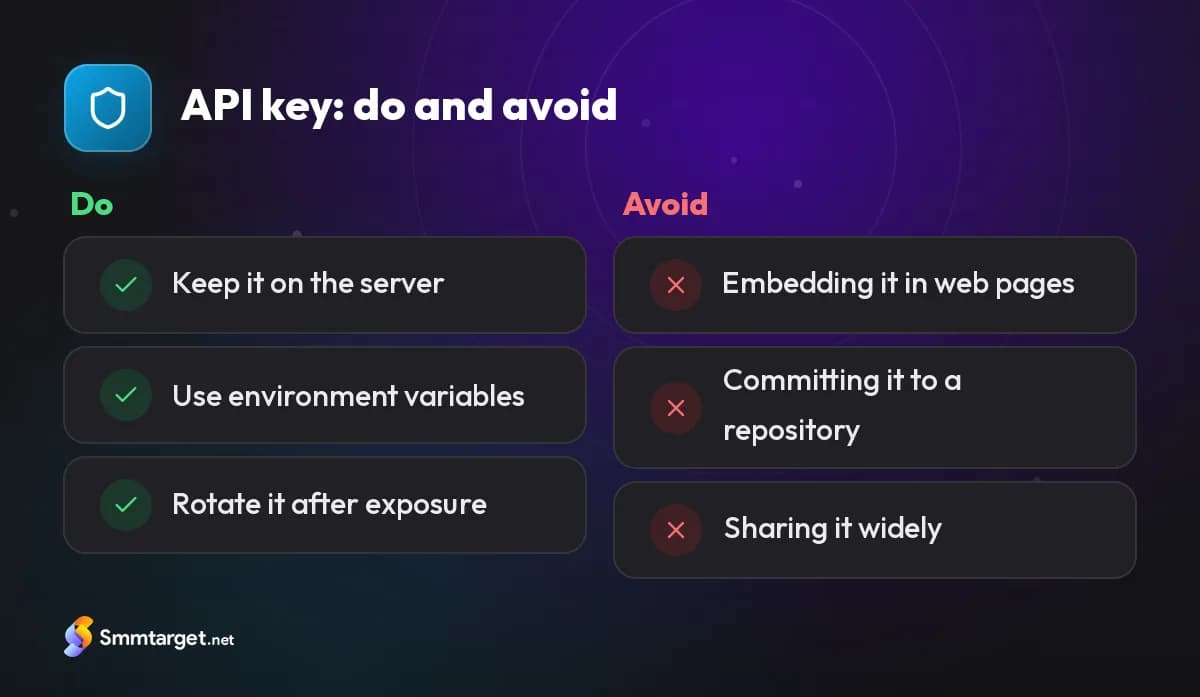
- Keep it on the server. Never embed the key in a web page, a mobile app or any code that a visitor can read.
- Use environment variables or a secrets store, not source code that you commit to a shared repository.
- Limit who has access. Share the key only with people and systems that need it.
- Use HTTPS only for all requests.
- Rotate the key if a team member leaves or if you suspect exposure.
- Monitor your balance and orders for activity that you do not recognise.
Automating your panel
Once the basics work, you can build a proper flow. A typical setup looks like this.
- A scheduled job fetches the services list and updates your catalogue and prices with your markup.
- When a customer pays, your system creates the order in your database, sends it to the supplier and stores the returned identifier.
- A background job checks order status at intervals and updates your customer's dashboard.
- Refunds or partial adjustments are calculated automatically when an order finishes partially or is canceled.
- Alerts notify you when your supplier balance is low or when many orders fail in a row.
Start small: automate one service and one platform, test with low-value orders and expand as you gain confidence. Many resellers begin with a ready-made SMM reseller panel rather than building everything from scratch.
Further reading: How to start an SMM reseller business and what an SMM panel is and how it works.
Conclusion
The API turns a manual reselling routine into a system that runs on its own: fetch services, add orders, track status, request refills and watch your balance. Keep your key private, handle errors gracefully and automate step by step. SMM Target provides an API for resellers who want to build on a dependable base.
Frequently asked questions
What can I do with an SMM panel API?
Fetch the services list, place orders, check order status, request refills where supported and read your balance, all without using the dashboard by hand.
Where do I get an API key?
Register with the supplier panel, add funds if required, then generate or copy the key from your account or API settings.
Can I put the API key in my website’s JavaScript?
No. Anyone who reads the key can spend your balance. Keep it on the server in an environment variable or secrets store.
Should I retry a failed order request?
Not blindly: the first request may have reached the supplier. Check the order status first so you do not place the order twice.
How we research and update our guides, and how we label our own services: editorial policy
Recommended services for this article
Real services from the SMM Target panel with their rate per 1,000. Rates can change; the panel always shows the current price.
- Service ID 16407متابعين إنستغرام | حسابات حقيقية | 10 الف/يوم | بدون إعادة تعبئة | فوري$0.3469per 1000
- Service ID 9325إعجابات إنستغرام تلقائية | تصل الى 10-25 الف/باليوم | بدون ضمان | 0-1 ساعة$0.0565per 1000
- Service ID 10007مشاهدات تيك توك | الاسرع | زر الإلغاء | فوري | بدون إعادة تعبئة$0.0041per 1000
- Service ID 10320مشاهدات يوتيوب | بدون إعادة تعبئة | الأرخص | بدون ضمان | 0-24 ساعة$0.182per 1000
- Service ID 17344متابعين صفحة / حساب فيسبوك | 20 آلاف/يوم | صفحات | بدون اعادة تعبئة | 0-6 ساعات$0.1209per 1000
- Service ID 9865أعضاء تليجرام | إعادة تعبئة تلقائية | الأرخص | فوري ♻$0.442per 1000
- #api
- #reseller
- #automation
- #smm-panel
Get Started Free
Sign Up